
· Tutorial
GridWorld: values and actions
Visualising Q-values on a grid to understand what the agent learned.
A starting cell. A target. Four possible directions. GridWorld lets you follow an agent's decision without having to interpret a complex physical simulation.
A reward turns a walk on the grid into an optimization problem: arriving counts, but detours have a cost too. It is a readable playground for understanding how experiences change action values.
You will run the experiment and understand the link between its observations, its decisions, and its outcome.
Try GridWorld in the browser →
Start with the demo
Select Q-Table then Train. Follow the detours and the episodes. Switch to Inference to watch the current policy. If you compare DQN and Q-Table, restart with a fresh agent for each experiment.
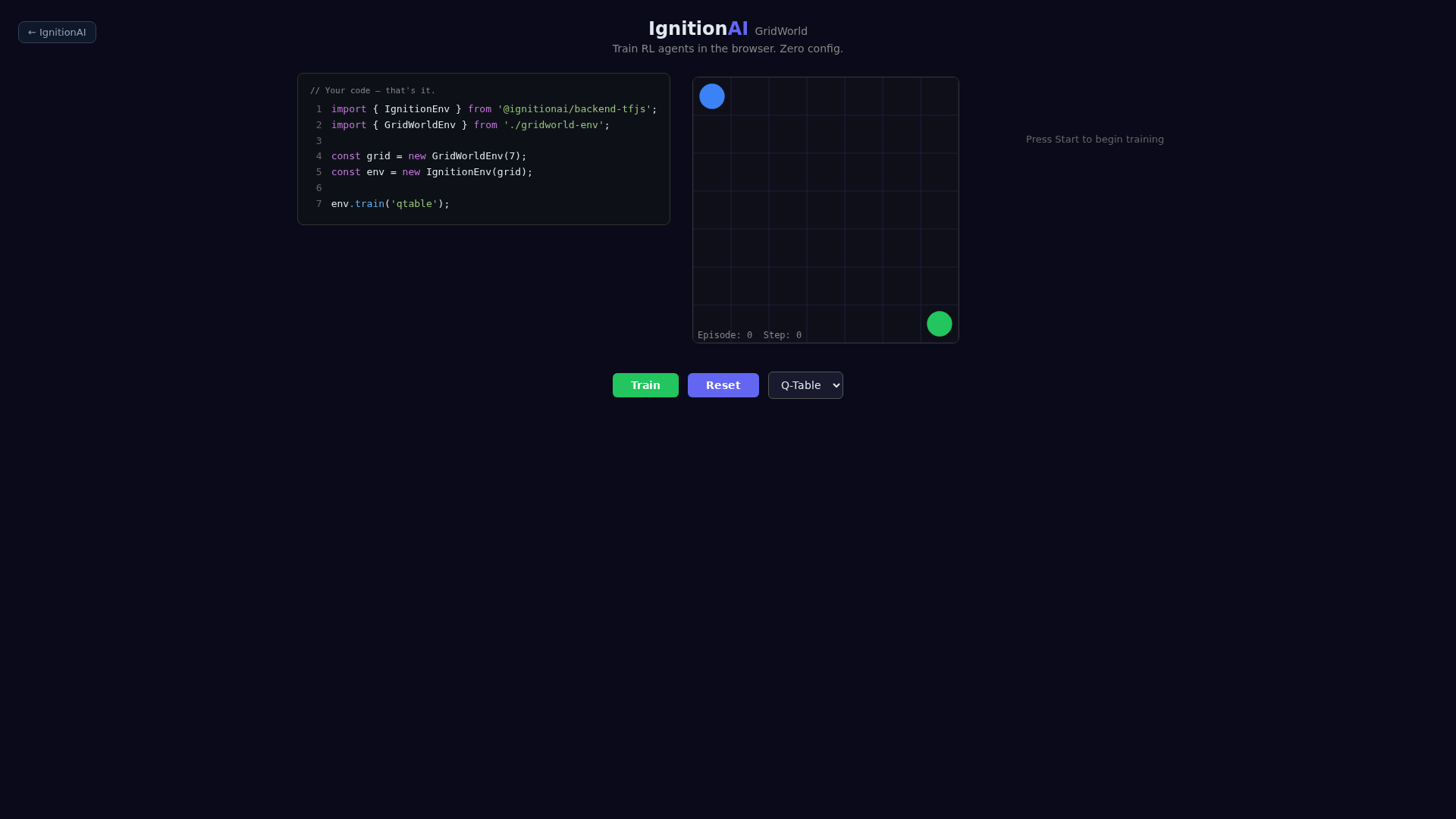
Initial state captured in Chromium. Screenshots show the walkthrough, they do not guarantee a score.
What the agent receives
The default grid measures 7 × 7. The agent starts in the top-left and the target stays in the bottom-right. The observation contains the normalized coordinates of the agent and the target. The actions are up, right, down, and left; an action against a border keeps the position.
What the reward encourages
Each non-winning move earns −0.1, and reaching the target earns +10. The episode stops at the target or after 100 transitions. Without obstacles, 12 moves suffice from the start: this is a geometric reference point, not a guaranteed training score.
The full contract lives in gridworld-env.ts. Read observe(), step(), and reward() together: a benchmark's name is not enough to define its implementation.
How the table changes a decision
Q-Table maps each encoded state to a value per action. A transition provides a target: the immediate reward, plus the best estimated value in the next state if the transition is not terminal. The update gradually brings the chosen action's value closer to that target. At inference, the agent keeps the maximum-value action; during training, exploration also lets it try other actions.
This estimate explains why a rewarded arrival can eventually influence decisions made several cells earlier. It depends, however, on the experiences collected and the discretization used.
Reproduce the experiment with code
Use Node.js 20 or 22 and pnpm 10.8.0. From the repository:
git clone https://github.com/IgnitionAI/ignition.git
cd ignition
corepack enable
pnpm install --frozen-lockfile
pnpm --filter demo-gridworld dev --host 127.0.0.1 --port 5173
Open localhost:5173. On a VPS, use an SSH tunnel to that port to access it from your computer.
The example is loaded directly from blog-experiment.ts: the article's code and the repository's code stay in sync.
import { IgnitionEnvTFJS } from '@ignitionai/backend-tfjs';
import { GridWorldEnv } from '../gridworld-env';

export function createExperiment() {
  const environment = new GridWorldEnv();
  const runner = new IgnitionEnvTFJS(environment);
  runner.train('qtable');

  return {
    environment,
    runner,
    infer: () => runner.infer(),
    resume: () => runner.train('qtable'),
    stop: () => runner.stop(),
  };
}
While Vite is running, you can import this module in the browser console:
const { createExperiment } = await import('/examples/blog-experiment.ts');
const session = createExperiment();
// Après quelques tentatives :
session.infer();
session.stop();
The module creates an independent session. It does not wire it into the already-open scene: use the demo's buttons for the visual walkthrough. infer() applies the current policy without training; resume() keeps the agent and stop() cancels upcoming ticks. A transition already in progress can still finish.
Observe, then evaluate
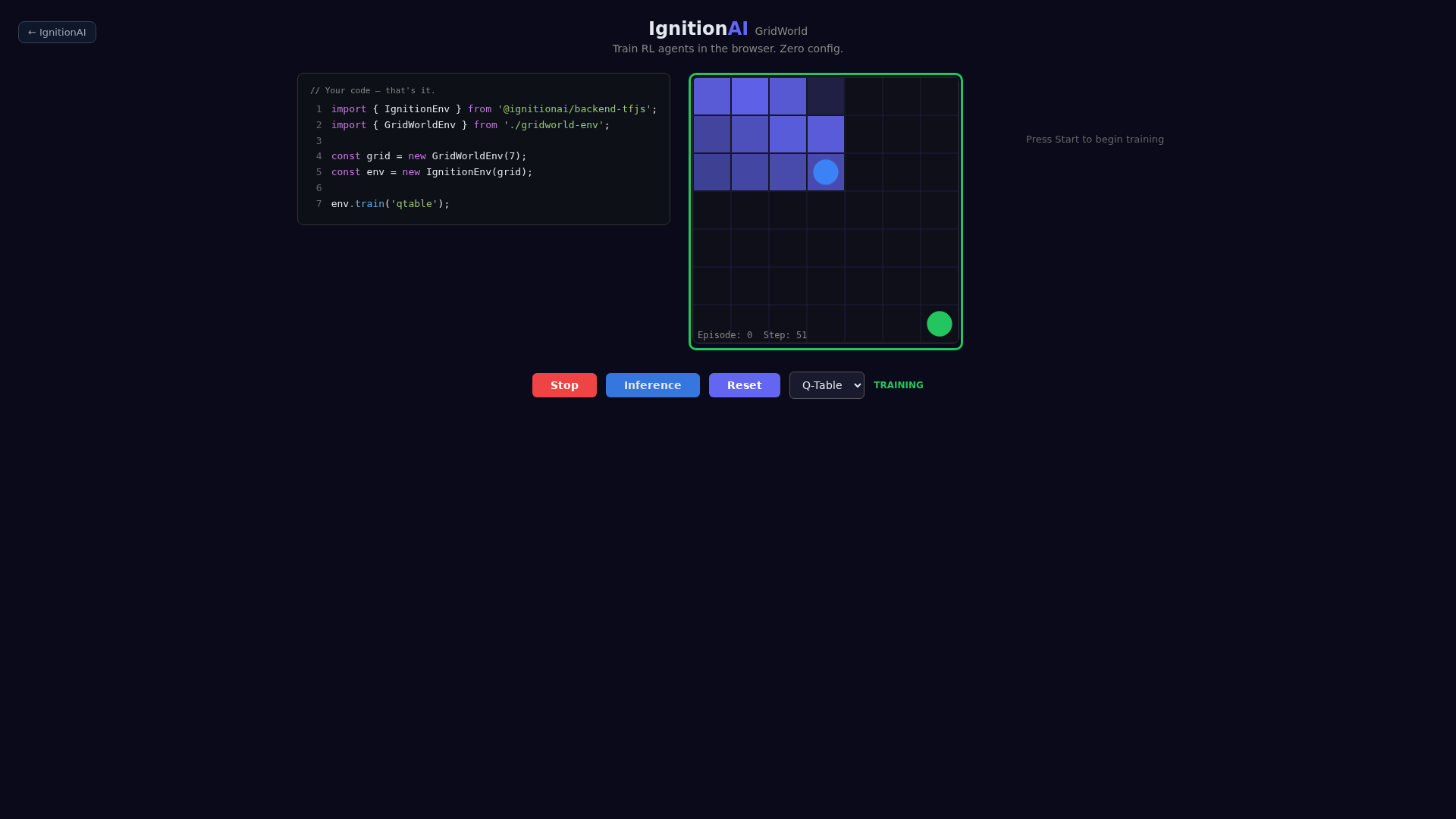
Screenshot of the same session after interaction. The presence of a scene and an active indicator confirms the walkthrough, not a converged policy.
In the example, Q-Table discretizes the observations: coordinates do not automatically become cell identifiers. The default values are there to get you started. Check the bounds and the bins before drawing conclusions about the learned table.
Verification of this edition
The demo was opened in Chromium and its training launched before the screenshot. The independent example ran one training transition and one inference transition with 4 observations, then the mode-switch commands. No page or runner errors were reported during this verification. This walkthrough verifies integration; it does not prove convergence.
Your turn to run the experiment
Reproduce the walkthrough, then change a single element of the contract and compare your observations. You will have a concrete case to discuss what the agent knows, what it chooses, and what the reward values.
To go further, see the Ignition runner and the available algorithms.