
· Tutorial
Train your first agent with Ignition on CartPole
Run the experiment in your browser, then dig into the code that makes it work.
A pole tilts. The cart pushes left, then right. The pole falls. In the next episode, the agent tries again.
This small problem gives reinforcement learning something concrete: you see the actions, their consequences, and the duration of each attempt. CartPole's goal is simple to observe: keep the pole standing.
With Ignition, you can run this experiment in your browser, then find the code that makes it run. The framework provides the DQN and the training loop; you can focus on the observations, the actions, and the results.
By the end of this tutorial, you will know how to launch a DQN training session and switch to inference to observe the current policy. The examples were executed and the three screenshots come from the same real session.
1. Watch the agent act
Keep DQN selected and click Train. The frame turns green. When an episode ends, its length appears in the chart. You can follow the visual journey without installing the project.
To work with the code yourself, then run the demo locally.
Running the same experiment on your machine
You need Node.js 20 or 22, Git, and pnpm 10.8.0. We use the repository's code so the demo and the examples match the same version.
git clone https://github.com/IgnitionAI/ignition.git
cd ignition
corepack enable
pnpm install --frozen-lockfile
pnpm --filter demo-cartpole dev --host 127.0.0.1 --port 5173
Open http://localhost:5173. You will find the same controls as in the hosted demo. From a remote server, use an SSH tunnel to port 5173; your computer's localhost address does not refer to the VPS.
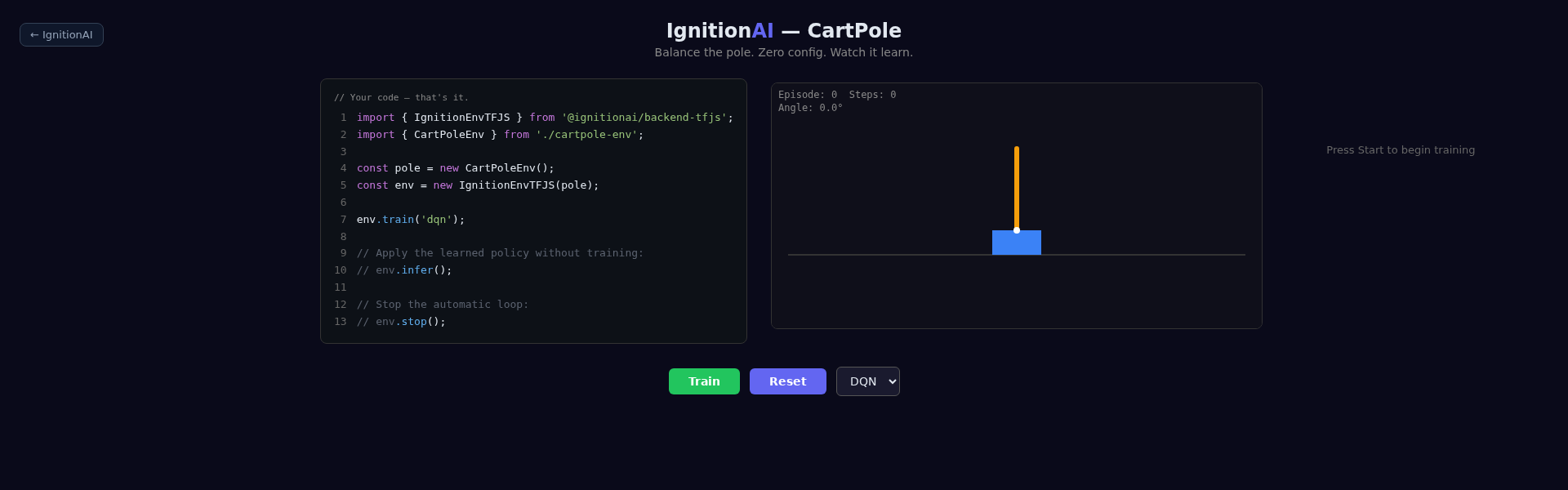
Initial state of the demo. The chart will fill up as episodes end.
2. What the agent must learn
The environment provides four numbers: the cart's position, its velocity, the pole's angle, and its angular velocity. The agent then chooses one of two actions. It does not read the canvas pixels: the image is there to show us the simulation.
In this implementation, an episode ends when the cart exceeds ±2.4 meters, when the pole exceeds ±12 degrees, or after 500 transitions. Each non-terminal transition earns a reward of 1; the terminal transition earns 0.
The chart titled Steps balanced counts the transitions of each episode, including the last one. It therefore does not represent exactly the sum of rewards. This one-unit difference matters when comparing results.
3. The code behind the experiment
Here is the full example, also available in first-agent.ts. The physical environment comes from the same folder as the demo.
import { IgnitionEnvTFJS } from '@ignitionai/backend-tfjs';
import { CartPoleEnv } from '../cartpole-env';

export function createCartPoleSession() {
  const pole = new CartPoleEnv();
  const runner = new IgnitionEnvTFJS(pole);

  runner.train('dqn');

  return {
    pole,
    runner,
    infer: () => runner.infer(),
    resume: () => runner.train('dqn'),
    stop: () => runner.stop(),
  };
}
IgnitionEnvTFJS connects the environment to the TensorFlow.js agents. train('dqn') creates the DQN and starts the automatic loop. The runner infers the dimensions from the observations and actions; it also provides the default parameters.
The example exposes the commands an interface needs. session.infer() applies the current policy without continuing to learn. session.resume() resumes training the same agent. session.stop() cancels the upcoming automatic iterations; a transition already in progress can still finish.
To try this module while Vite is running, open the browser console:
const { createCartPoleSession } = await import('/examples/first-agent.ts');
const session = createCartPoleSession();
// Later:
session.infer();
session.stop();
This module creates an independent session: it does not attach it to the demo's canvas. For the visual journey, use the page's buttons. The App.tsx file shows how to sync the physical state and record episodes in a React interface.
4. Reading the first attempts
Keep DQN selected and click Train. The frame turns green and the episodes feed the chart. At first, the agent explores. Each attempt adds an experience: an observation, an action, a reward, and the next state. The DQN relies on these experiences to adjust its estimate of the value of actions.
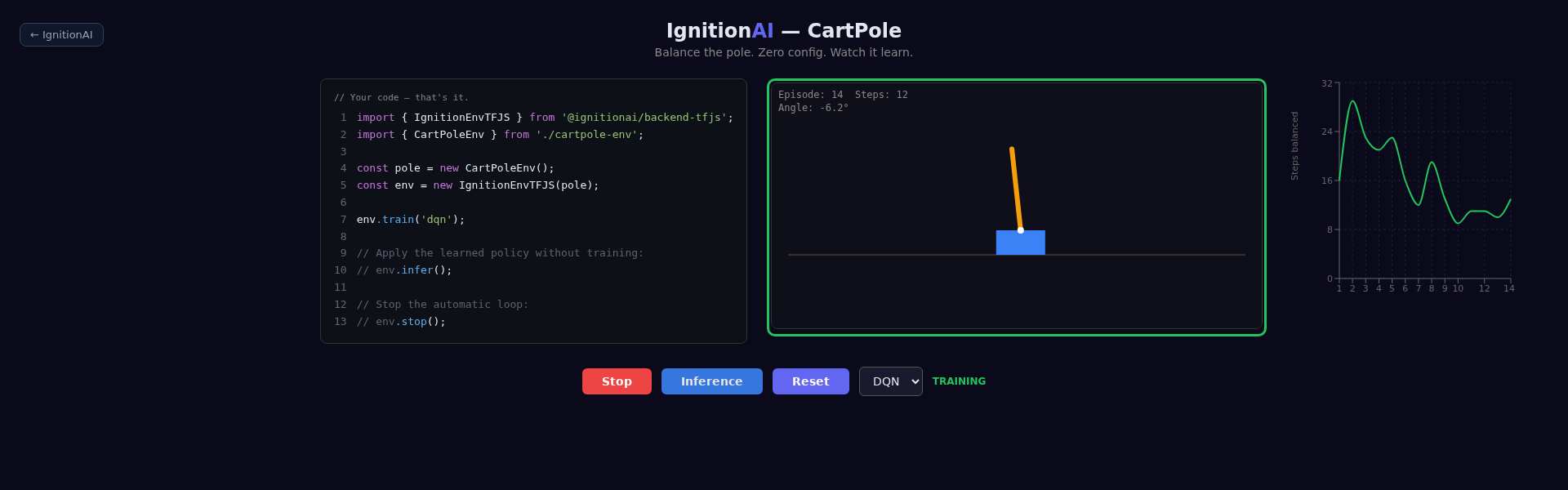
Screenshot after one minute of training with the default settings.
Do not judge the agent on a single episode. Compare several successive episodes and, for a serious evaluation, several independent training runs. The initial states, the exploration, and the network's weights involve randomness: two runs can produce different trajectories.
By default, the loop uses a 50 ms delay between ticks, plus computation time. One minute of real time is therefore neither a guaranteed number of transitions nor a guarantee of convergence.
5. Observing what the agent learned
During training, click Inference. The frame turns blue. The agent then chooses its actions with the current policy, without weight updates. The runner preserves the continuity of the simulation during this mode switch.
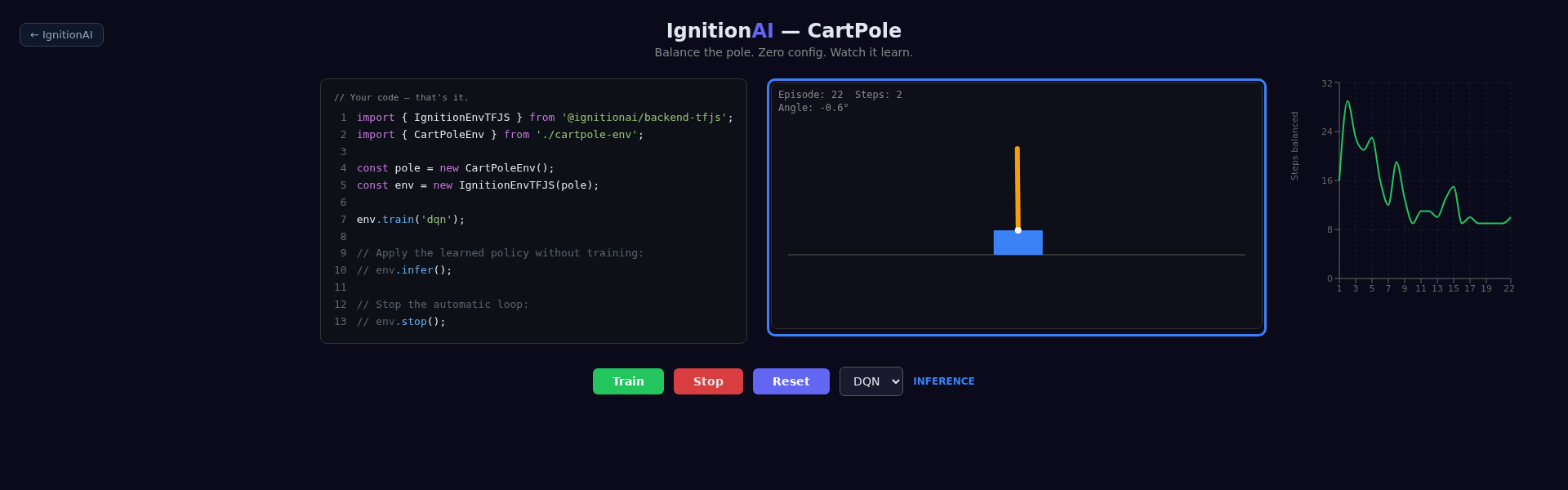
The color confirms the mode switch, not the quality of the policy.
The demo keeps recording episode lengths during inference in the same chart. To measure performance, record the evaluation episodes separately: do not confuse training points with inference points.
Train resumes learning; Stop stops the loop. Reset zeroes out the demo and discards the current agent. So do not click Reset just to take a pause.
A tested journey, results to evaluate
To prepare these screenshots, we opened the local demo and ran DQN for one minute: 14 episodes ended, with lengths from 9 to 29 transitions. We then switched to inference and stopped the session. The three images show this same run. We also imported the first-agent.ts module in the browser and ran one training transition, one inference transition, and the mode-switching commands.
This verification demonstrates that the journey and the example work. It does not demonstrate that CartPole is solved or that a given score will be reproduced on your machine.
To continue, see how DQN works, the runner's role, and the tutorial on CartPole observations. You can then modify the observations or compare agents, keeping an identical evaluation protocol.
Your turn to launch the first episode
Open CartPole, click Train, then switch to Inference to observe the current policy's decisions. You will have a concrete experience to come back to as you explore DQN or modify your environment.